

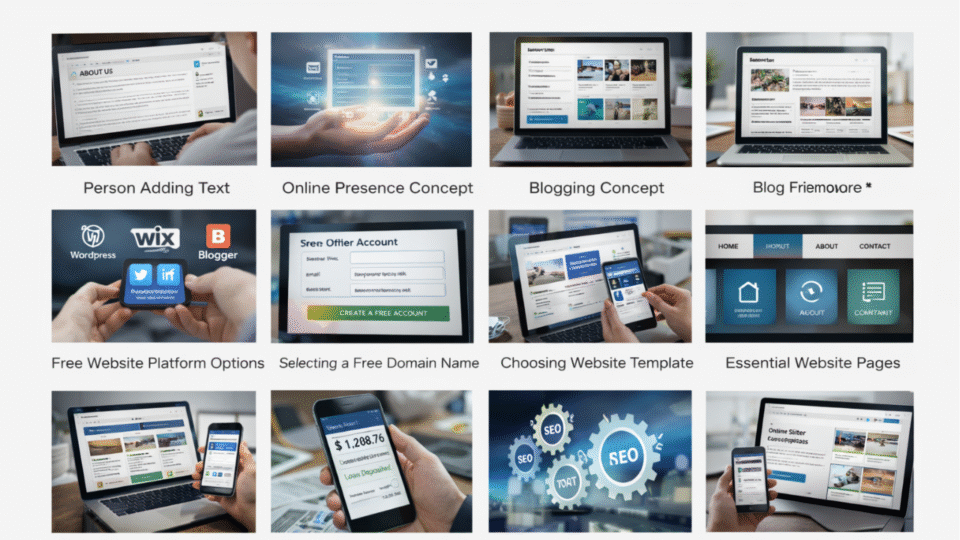
In today’s digital age, having a website is no longer a luxury—it has become a necessity. Whether you want to start a blog, create an online business, build a personal portfolio, or promote your services, a website is one of the most powerful tools you can use.
Many people believe that creating a website requires technical knowledge, coding skills, or a large financial investment. However, the truth is that you can create a fully functional website for free, even if you are a complete beginner.
Thanks to modern website builders and content management systems, anyone can build a website without learning programming languages like HTML, CSS, or JavaScript. These tools provide simple drag-and-drop interfaces that make website creation easy and accessible.
This comprehensive guide will explain how to create a website for free step by step, including choosing a platform, selecting a domain name, designing your site, publishing content, and optimizing your website for search engines.
By the end of this guide, you will have a clear understanding of how to build and manage a website without spending money.
Chapter 1: What Is a Website?
A website is a collection of web pages that are accessible through the internet using a web browser such as Chrome, Firefox, or Safari.
Each website has a unique address called a domain name, which allows users to access it easily.
For example:
- google.com
- wikipedia.org
- amazon.com
These are domain names that represent websites.
A website can include many types of content such as:
- Articles and blogs
- Images and videos
- Products and services
- Contact forms
- Interactive tools
Websites are used for many purposes including education, business, entertainment, communication, and marketing.
Chapter 2: Why You Should Create a Website
There are many reasons why creating a website can be beneficial.
1. Online Presence
A website helps individuals and businesses establish a presence on the internet.
Millions of people search online every day for information, products, and services.
Having a website allows you to reach these users.
2. Business Growth
Businesses can use websites to promote their products and services, attract customers, and increase sales.
Many successful companies rely heavily on their websites for revenue.
3. Personal Branding
A website can showcase your skills, achievements, and portfolio.
This is especially useful for freelancers, designers, writers, and developers.
4. Passive Income Opportunities
Websites can generate income through various methods such as:
- Advertising
- Affiliate marketing
- Selling digital products
- Online courses
5. Global Reach
Unlike physical businesses, websites can reach audiences worldwide.
Anyone with an internet connection can access your website.
Chapter 3: Types of Websites You Can Create
Before creating a website, it is important to decide what type of website you want.
Blog Website
A blog website focuses on publishing articles and informative content.
Examples include technology blogs, travel blogs, finance blogs, and food blogs.
Business Website
Business websites promote products or services offered by a company.
They usually include pages like:
- Home
- About
- Services
- Contact
E-Commerce Website
An e-commerce website allows users to buy and sell products online.
Examples include online stores and marketplaces.
Portfolio Website
Portfolio websites display creative work such as photography, design, writing, or artwork.
Educational Website
Educational websites provide learning resources, tutorials, and courses.
Chapter 4: Free Website Platforms
To create a website for free, you need a website builder or platform.
Here are some popular free website platforms.
WordPress.com
WordPress is one of the most popular website platforms in the world.
Advantages:
- Easy to use
- Thousands of themes
- Blogging features
- Large community support
However, the free plan includes WordPress branding in the domain name.
Example:
yourwebsite.wordpress.com
Wix
Wix is a drag-and-drop website builder that allows users to create websites easily.
Advantages:
- Beginner friendly
- Beautiful templates
- No coding required
Example free domain:
yourwebsite.wixsite.com
Blogger
Blogger is a free blogging platform owned by Google.
Advantages:
- Completely free
- Easy integration with Google services
- Reliable hosting
Example domain:
yourwebsite.blogspot.com
Weebly
Weebly is another beginner-friendly website builder.
Features include:
- Drag-and-drop editor
- Free hosting
- Responsive templates
Chapter 5: Step-by-Step Process to Create a Website for Free
Creating a website involves several simple steps.
Step 1: Choose a Website Platform
Select a platform that suits your needs.
For beginners, WordPress, Wix, or Blogger are good choices.
Step 2: Create an Account
Visit the platform’s website and sign up using your email address.
Most platforms allow users to register for free.
Step 3: Choose a Domain Name
Your domain name is your website’s address.
Example:
myblog.wordpress.com
Choose a domain name that is:
- Short
- Easy to remember
- Relevant to your topic
Step 4: Select a Website Template
Website builders provide pre-designed templates that determine how your site looks.
Choose a template that matches your niche.
Step 5: Customize Your Website
You can customize your website by changing:
- Colors
- Fonts
- Layout
- Images
Most website builders provide drag-and-drop editors for easy customization.
Step 6: Add Pages
A typical website includes pages such as:
- Home page
- About page
- Contact page
- Blog page
These pages help visitors understand your website.
Step 7: Publish Your Website
Once your website is ready, click the Publish button.
Your website will now be live on the internet.
Chapter 6: Essential Pages Every Website Needs
A good website should include several important pages.
Home Page
The home page is the first page visitors see when they enter your website.
It should clearly explain what your website is about.
About Page
The about page provides information about you or your business.
It helps build trust with visitors.
Contact Page
The contact page allows visitors to reach you.
You can include:
- Email address
- Contact form
- Social media links
Privacy Policy Page
Many countries require websites to include privacy policies explaining how user data is collected and used.
Chapter 7: How to Design an Attractive Website
Website design plays an important role in user experience.
Here are some design tips.
Use a Simple Layout
Avoid clutter and keep the design clean.
Choose Readable Fonts
Fonts should be easy to read on all devices.
Use High-Quality Images
Images improve visual appeal and engagement.
Ensure Mobile Compatibility
Many users browse websites using smartphones.
Make sure your website works well on mobile devices.
Chapter 8: Writing Content for Your Website
Content is the most important part of a website.
High-quality content attracts visitors and improves search engine rankings.
Write Helpful Articles
Focus on providing useful information.
Use Clear Headings
Headings make content easier to read.
Include Keywords
Keywords help search engines understand your content.
Chapter 9: Basic SEO for Your Website
Search Engine Optimization (SEO) helps your website appear in search engine results.
Basic SEO techniques include:
- Using relevant keywords
- Writing descriptive titles
- Adding meta descriptions
- Optimizing images
- Creating internal links
SEO helps attract organic traffic to your website.
Chapter 10: Ways to Earn Money from Your Website
Once your website starts receiving traffic, you can monetize it.
Advertising
You can display ads using platforms like Google AdSense.
Affiliate Marketing
Promote products and earn commissions for sales.
Selling Products
You can sell digital or physical products through your website.
Online Courses
Educational websites can sell courses and training programs.
Creating a website for free is easier than ever before. With the help of modern website builders, anyone can design and launch a website without technical knowledge.
By choosing the right platform, creating valuable content, and applying basic SEO strategies, you can build a successful website that attracts visitors and generates income.
Whether you want to start a blog, promote your business, or build an online brand, creating a website is an important step toward achieving your goals in the digital world.
